Tours
See what you get, and what your patients get.
Two tours, screen by screen. The first is your partner portal: your orders, your patients, your prices, your name on everything. The second is the portal your patients use, from the intake on their phone to the parcel at their door.
Every screen is the platform itself, shown for a demo clinic with made-up people. Each demo walks you through one screen at a time: click the marker or Next, use the arrow keys, or swipe.
01The partner portal
Your portal.
Twelve screens. Everything about your programs, your orders and your patients, and nothing about anybody else's. Treatment decisions stay with the clinicians; what you see is your business.
-
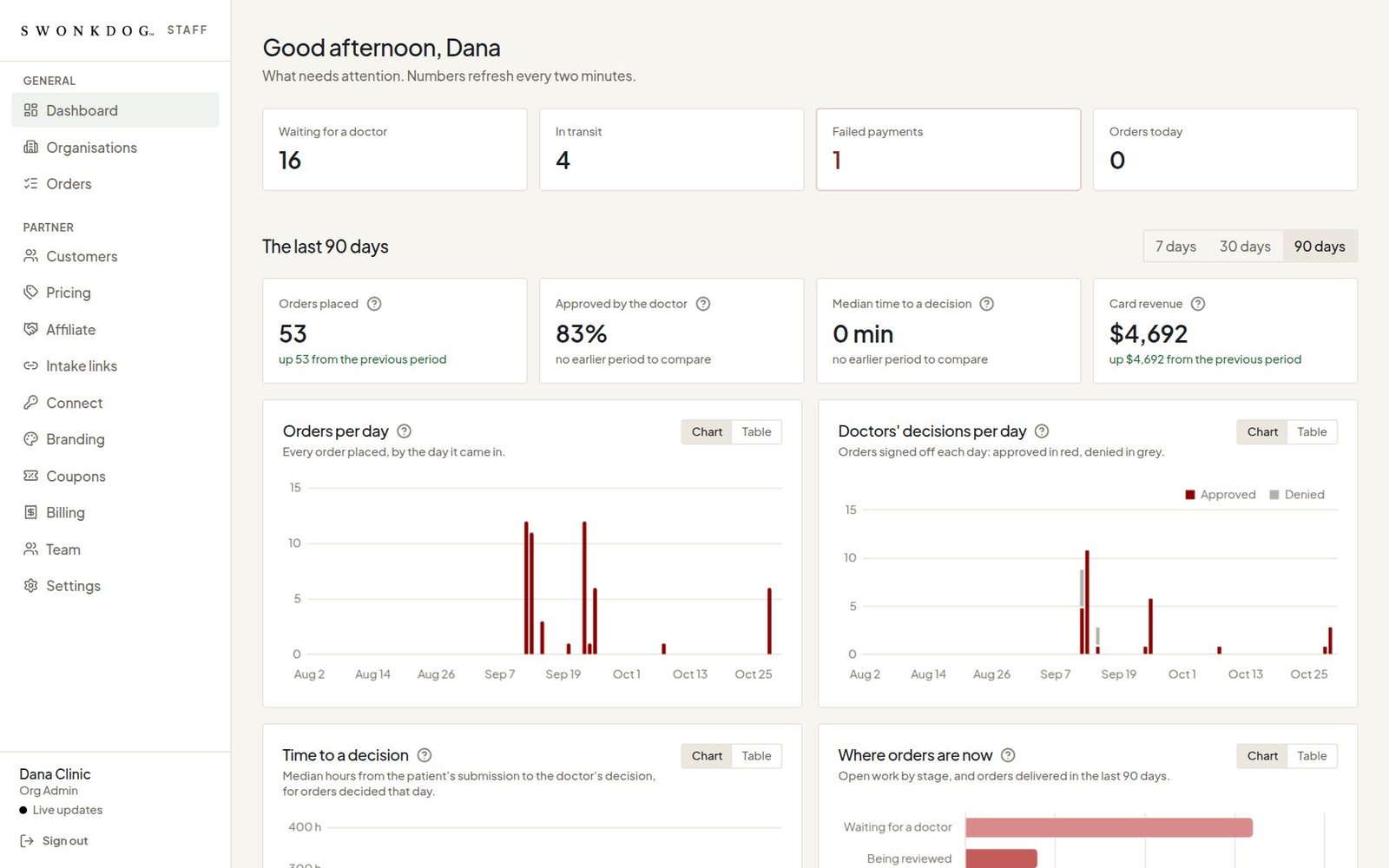
Your dashboard
What needs attention today and how the period is going: orders waiting for a clinician, shipments in transit, failed payments; orders placed, the share the clinicians approved, the median time to a decision, what the cards brought in. Seven, thirty or ninety days. You see your own patients and nobody else's.
-
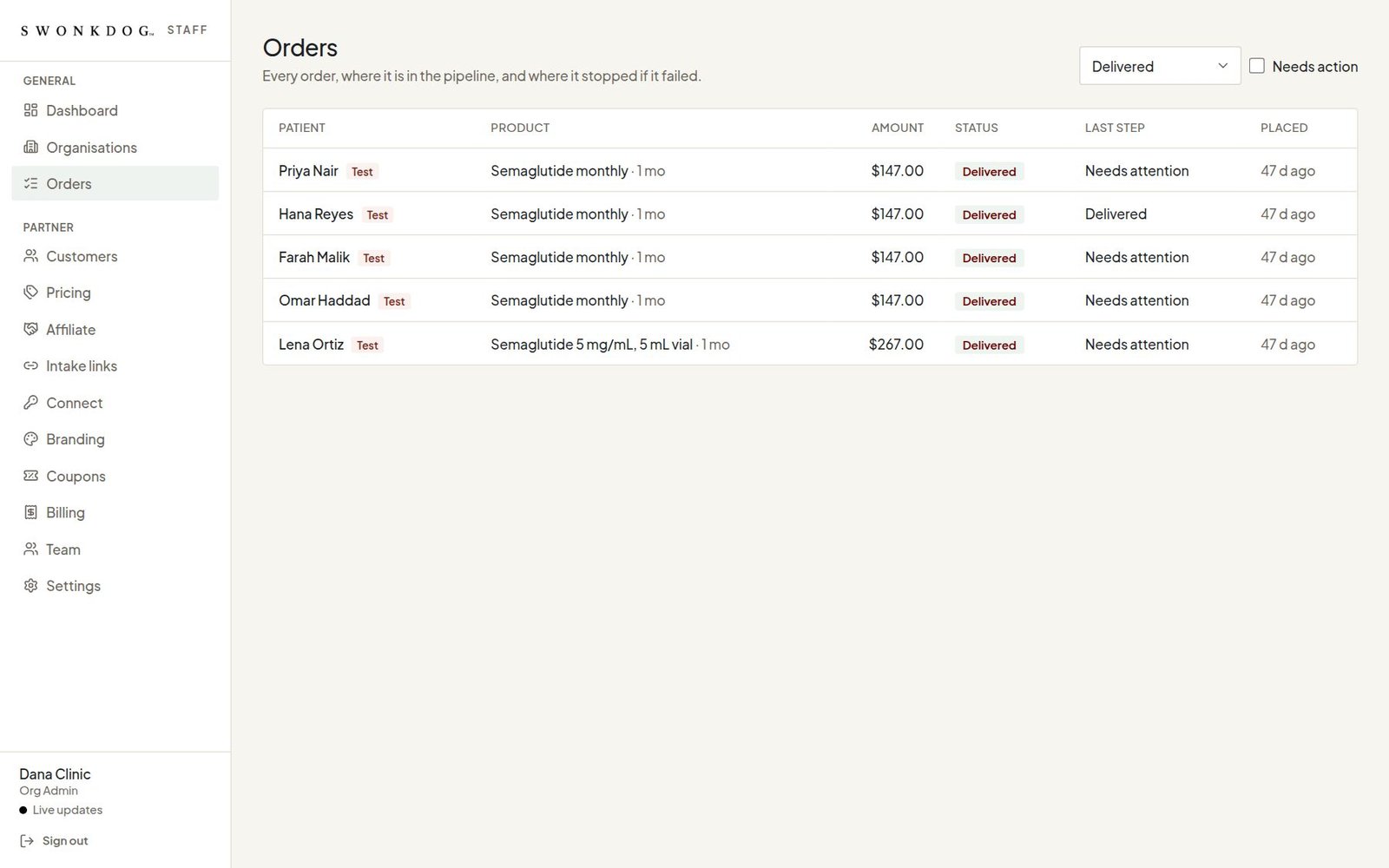
Every order
Every order your patients placed, where it is in the pipeline, and where it stopped if a step failed. Filter by status, or show only the orders that need action.
-
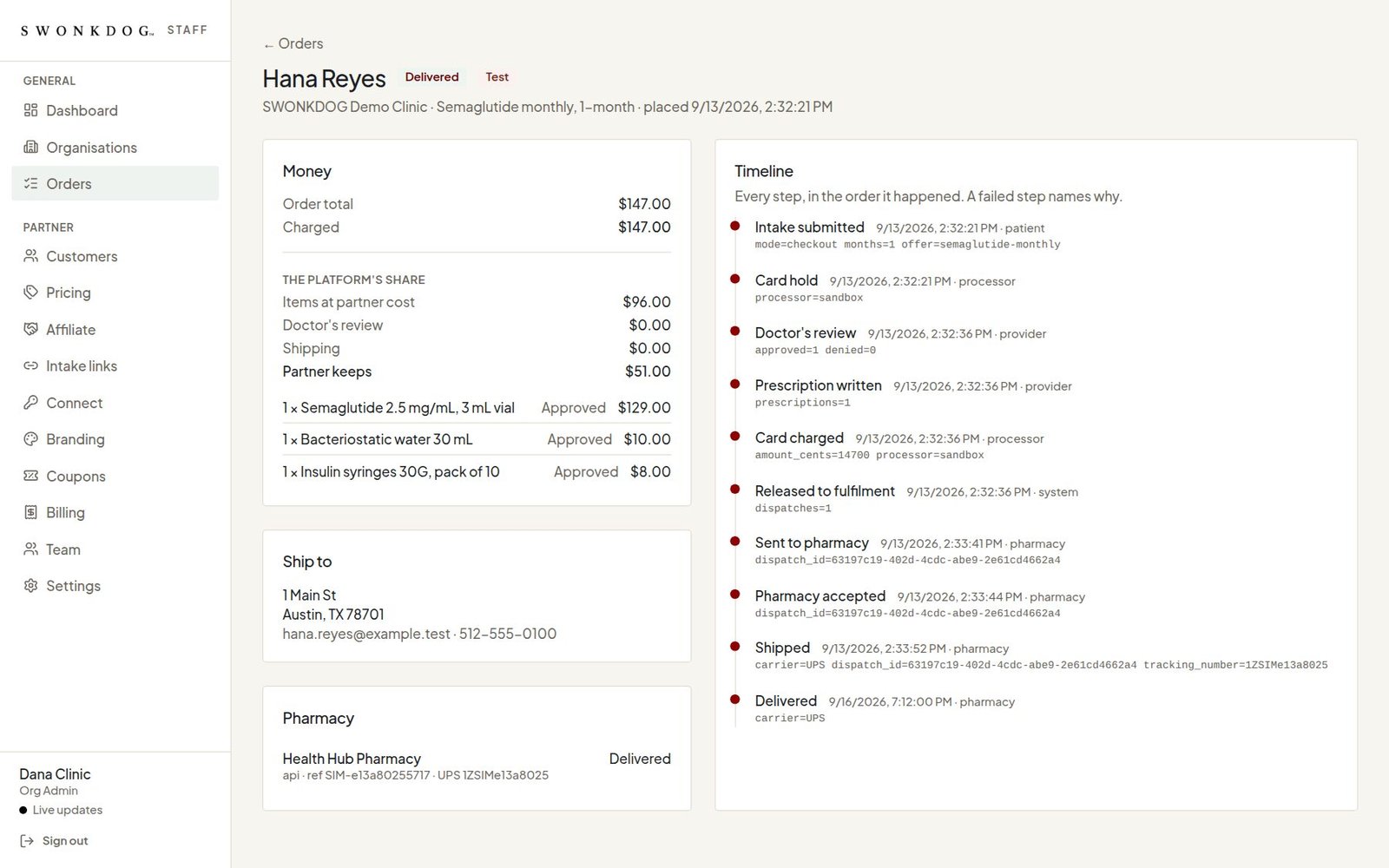
One order, every step
What the patient paid and what you keep after the platform's fees from your price sheet; each item and the clinician's decision on it; the shipping address; and a timeline of every step with the reason whenever one failed. The pharmacy or lab that filled it is named below.
-
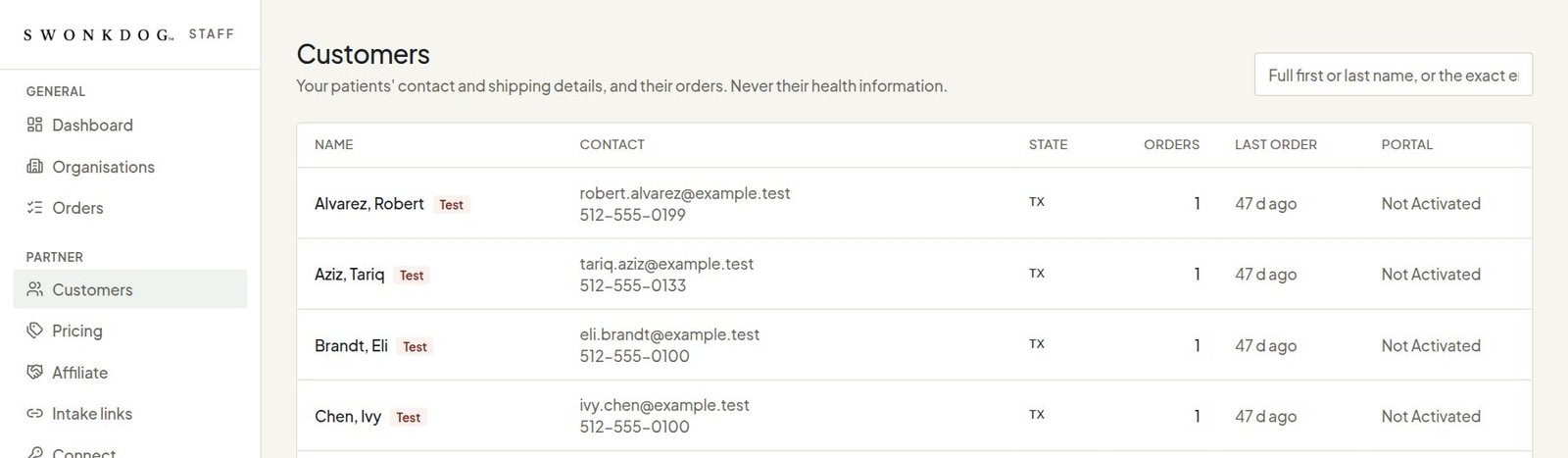
Your customers
Your patients' names, contact and shipping details, and their orders. Never their questionnaire, their prescription or anything clinical: that stays with the clinician, under HIPAA.
-
Your prices
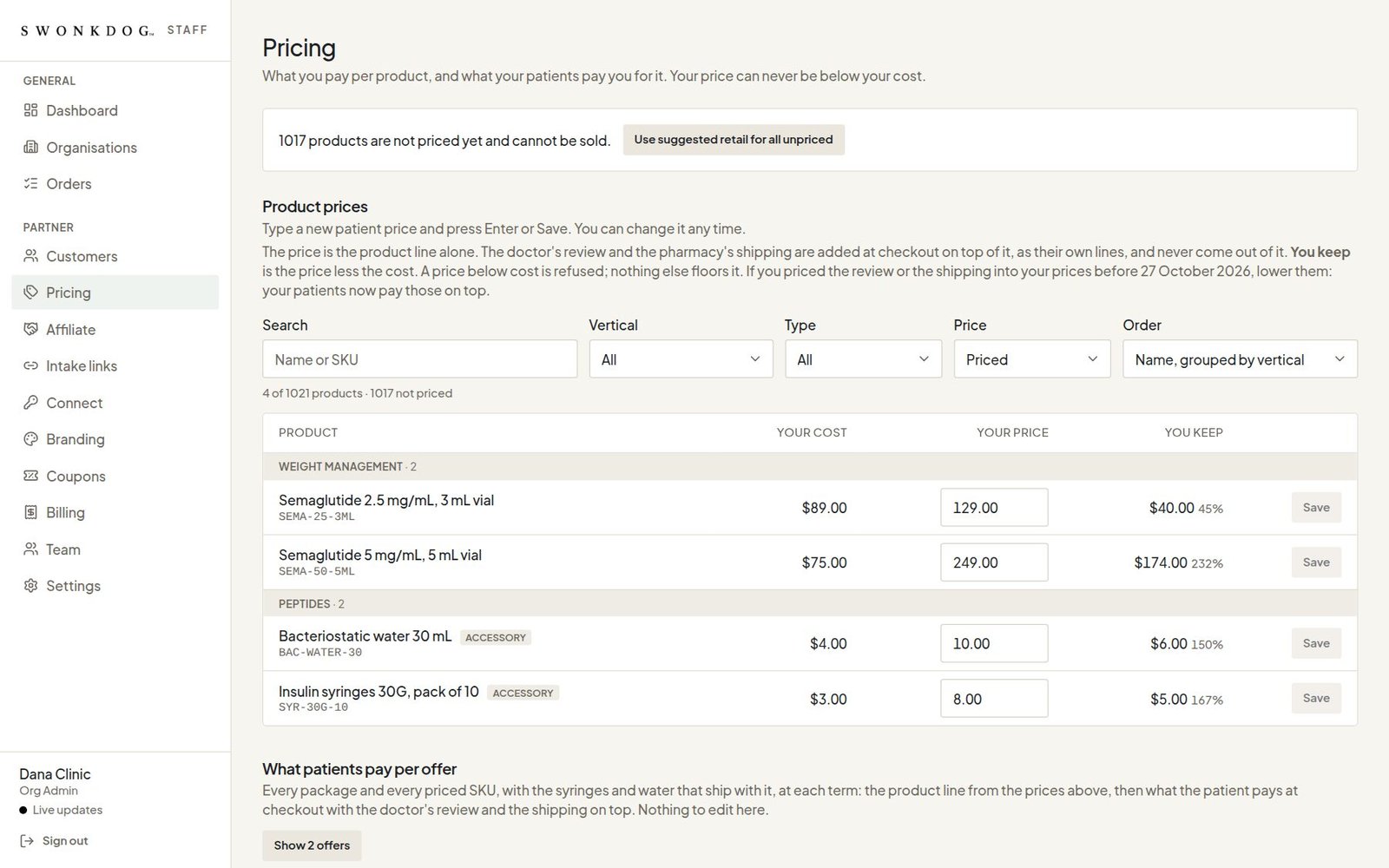
What you pay the platform for each product, and what your patients pay you, with the margin on each line in front of you. A price never goes below your cost. You price what you sell; the rest of the catalog stays off your intake until you do, or takes the suggested retail in one go.
-
Your intake, on your site
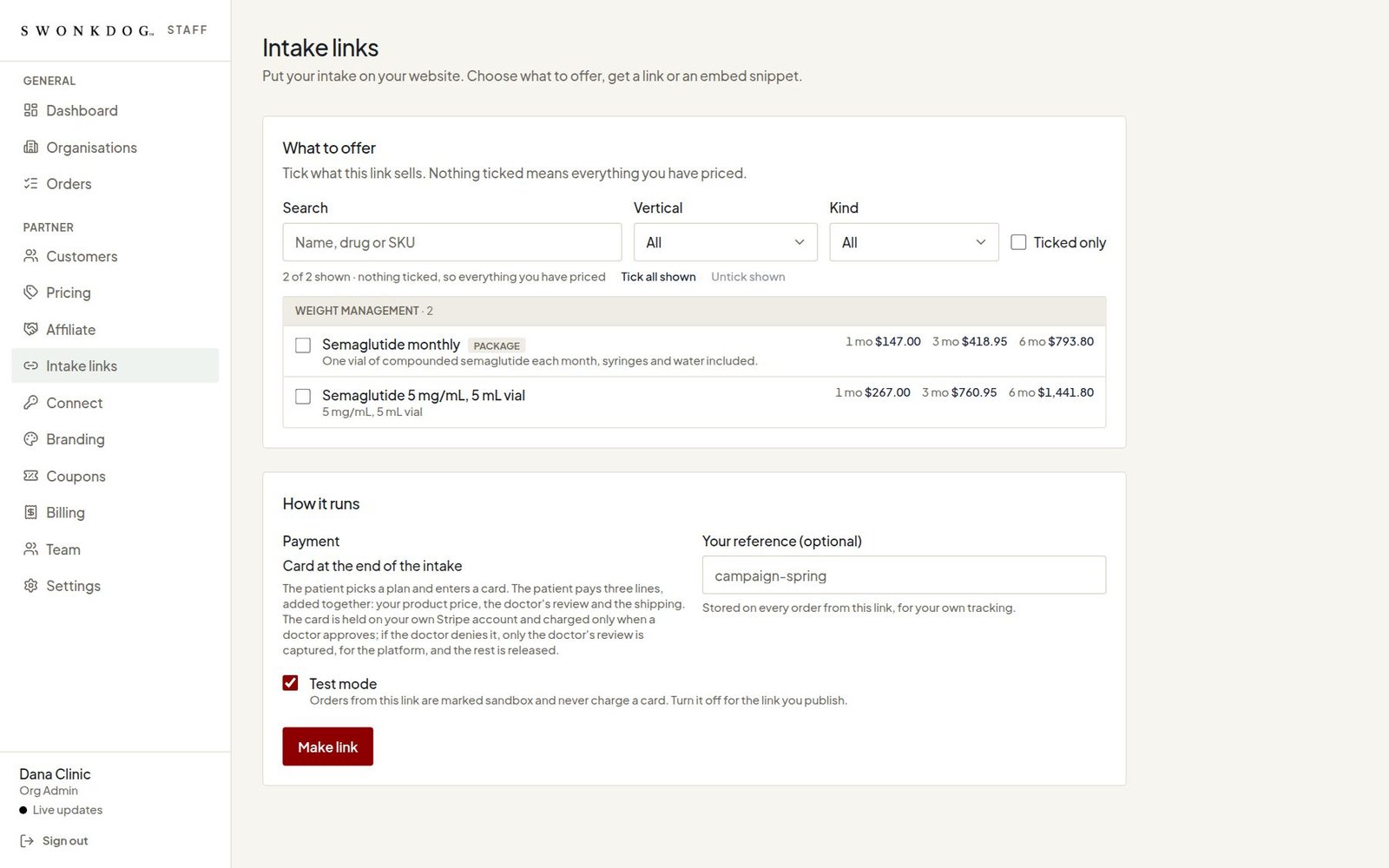
Choose what a link sells and get a link or an embed snippet for your website, live or a sandbox for testing. The intake behind it carries your name from the first question.
-
Your name on all of it
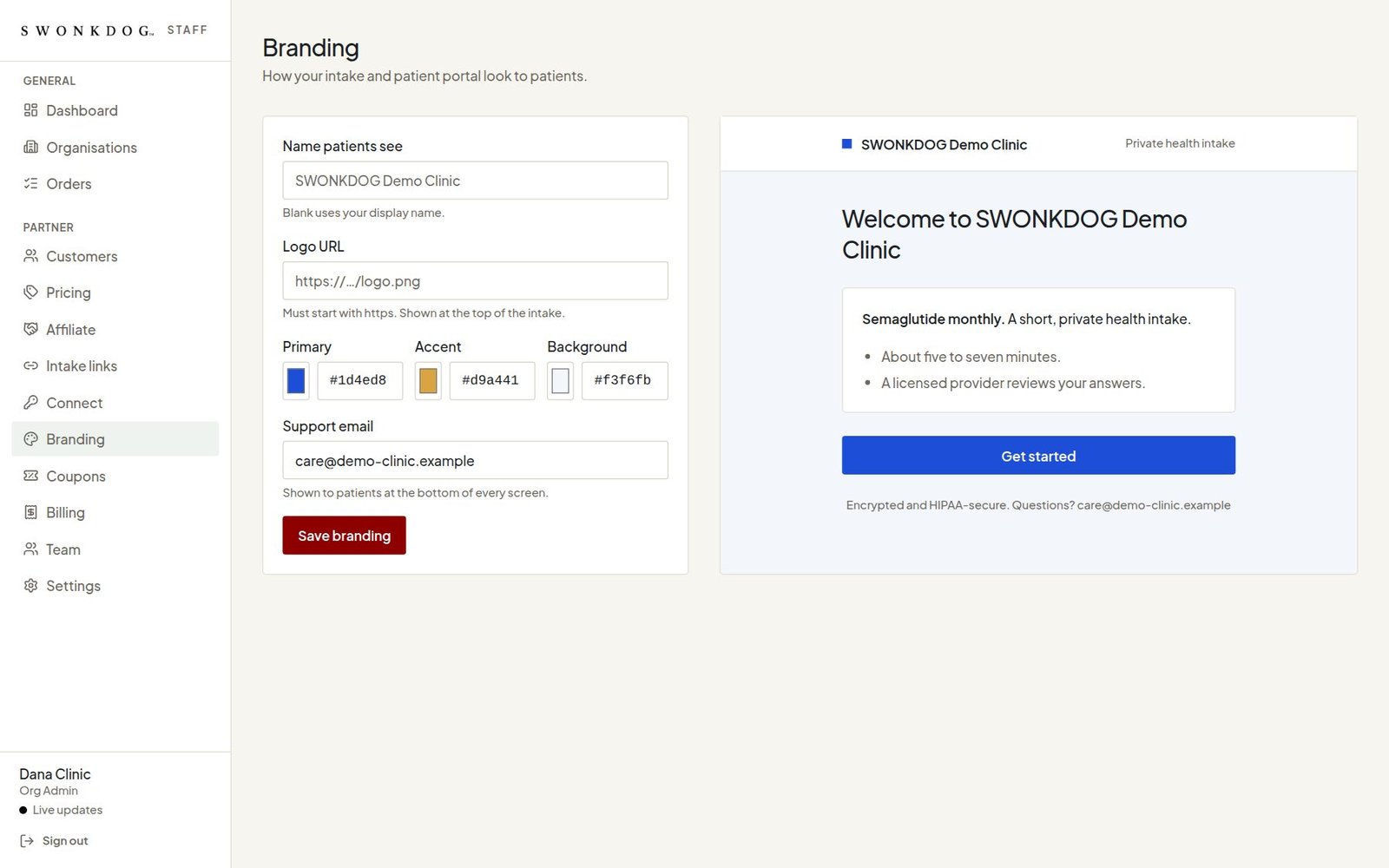
The name, logo, colours and support address your patients see on the intake and in their portal, with a preview as you type.
-
Coupons
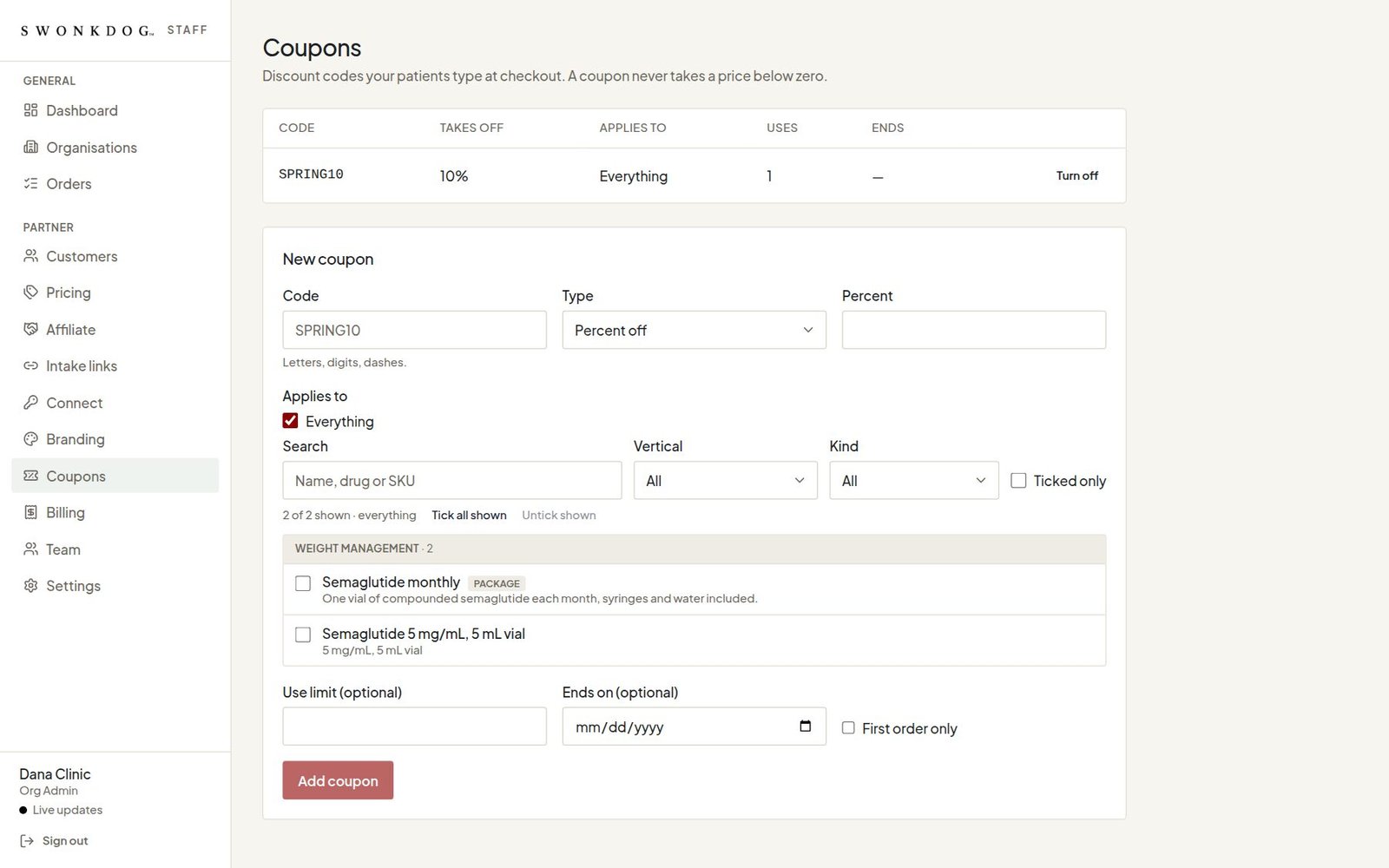
Discount codes your patients type at checkout. A coupon never takes a price below zero.
-
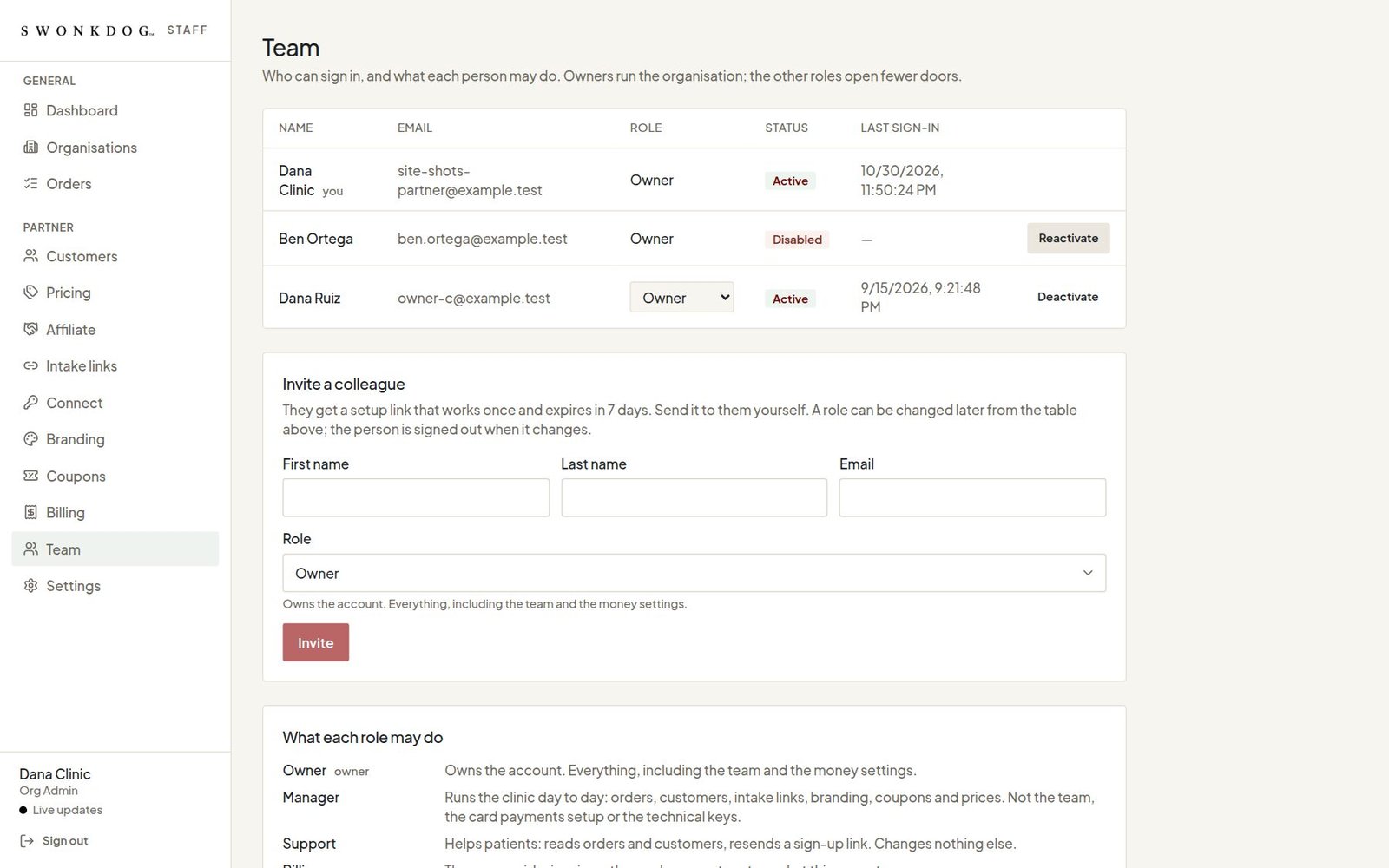
Your team
Who at your company can sign in, and what each person may do. Owners run the organisation; managers, support, billing, developers and viewers open fewer doors. An invite is a setup link that works once.
-
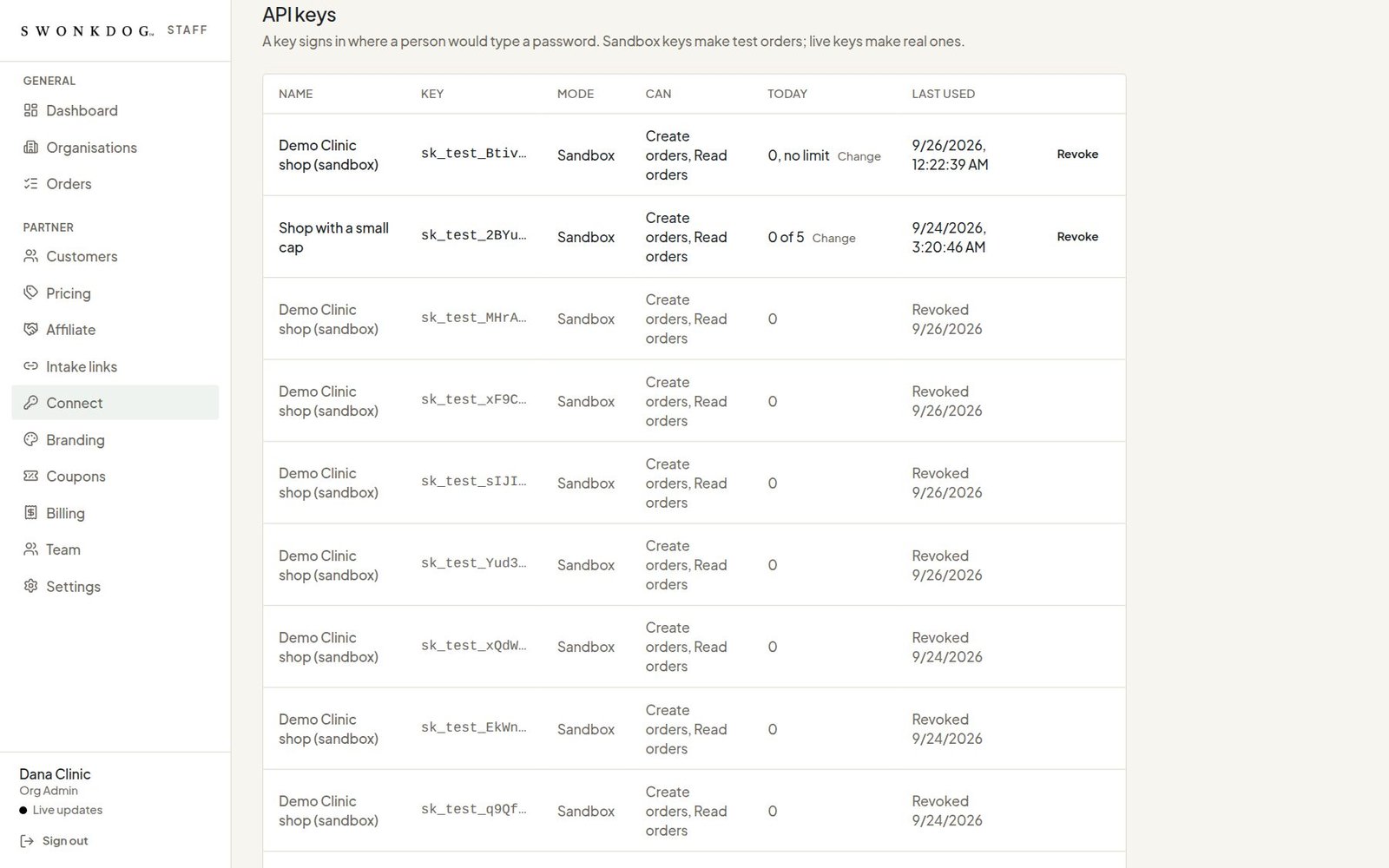
Connect your own systems
Keys for your own store or practice system to send us orders: sandbox keys make test orders, live keys make real ones. Below them, webhooks: every step of every order, posted to your system as it happens and signed, so your store or CRM follows along without anyone copying anything by hand.
-
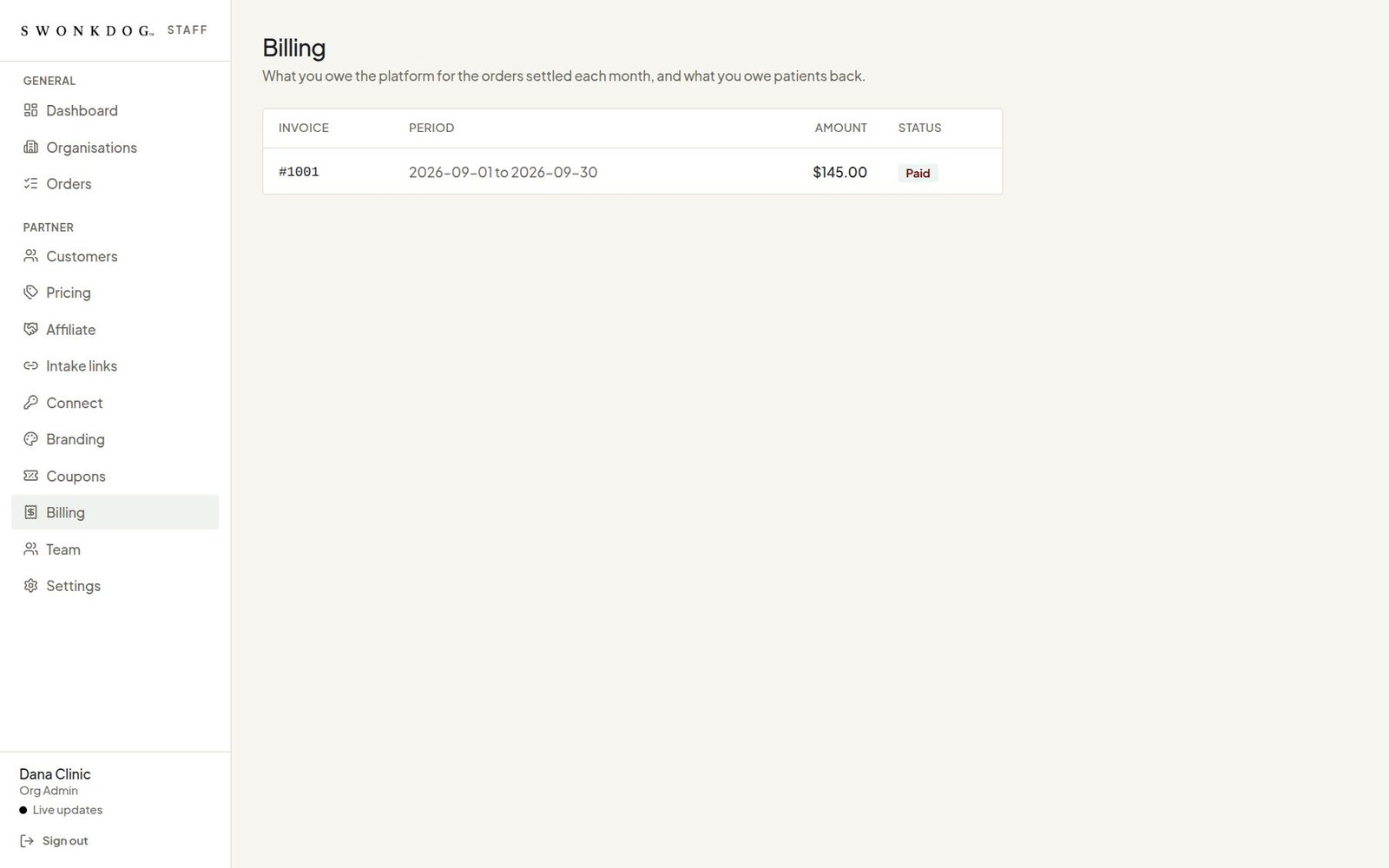
Billing
What you owe the platform for the orders settled each month, line by line, and what you owe patients back. Every statement lists each visit and each line.
-
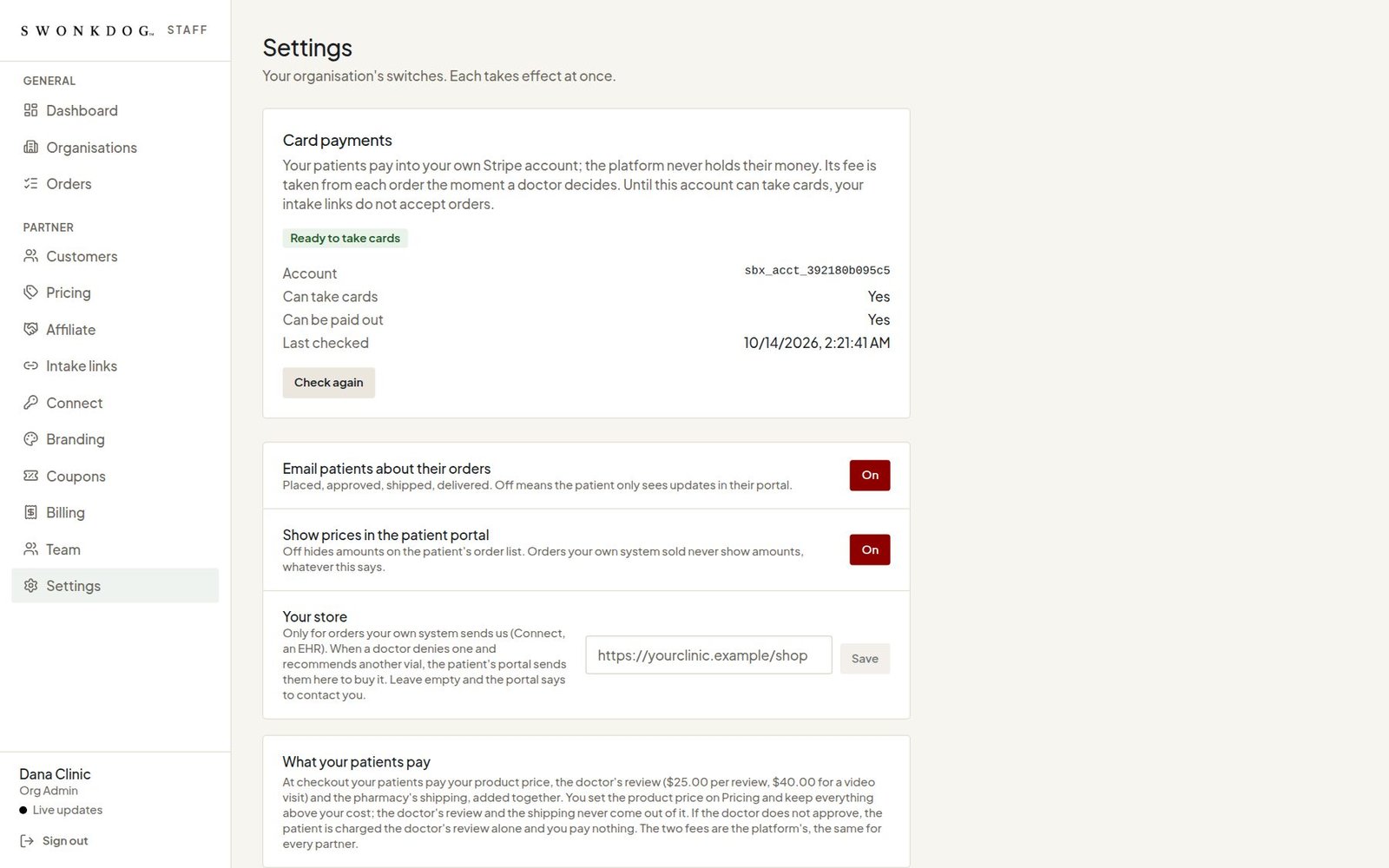
Settings
Your organisation's switches: your own payment account at the processor, whether patients see prices in the portal, your store's address, and which emails your patients get. Each takes effect at once.


02The patient portal
Their portal, under your name.
Nine screens, on a phone. From the intake on your website to the order at the door, with the clinician, the physician group and the pharmacy behind it in plain sight. Your name, your colours, your support address.
-
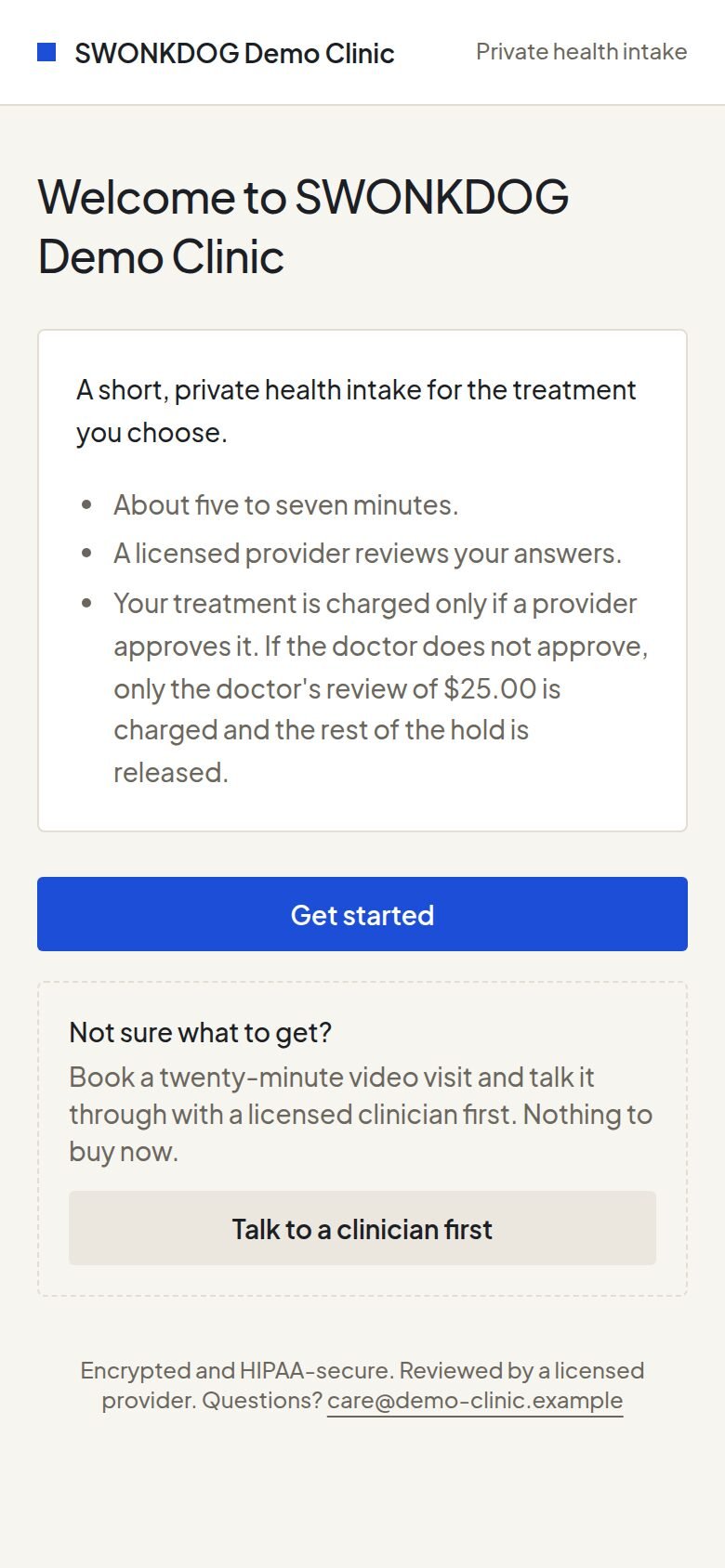
The intake, on their phone
It opens from your website, under your name: a short, private intake of five to seven minutes, read by a licensed clinician at the end. The treatment is charged only if the clinician approves it.
-
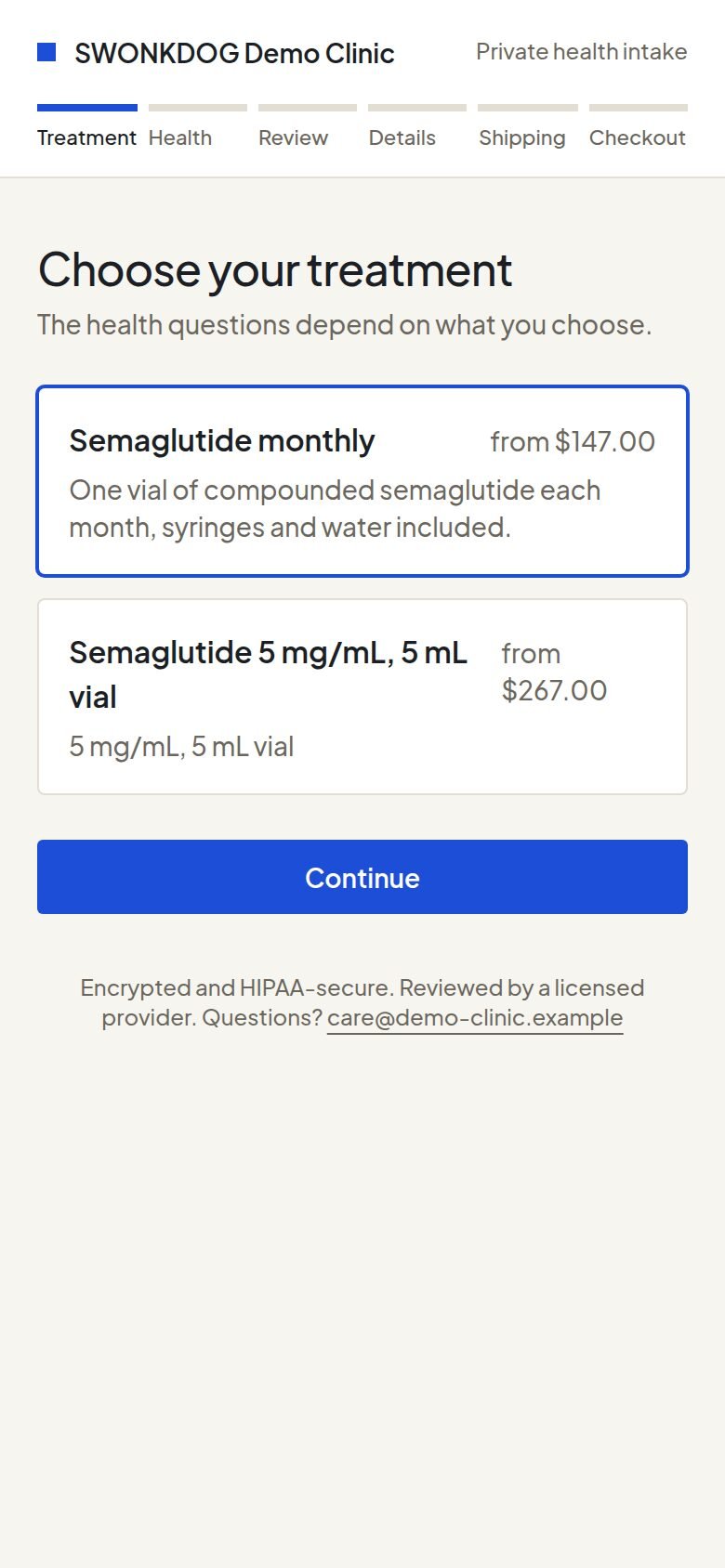
Choosing a treatment
Your programs at your prices. The health questions that follow depend on what they choose.
-
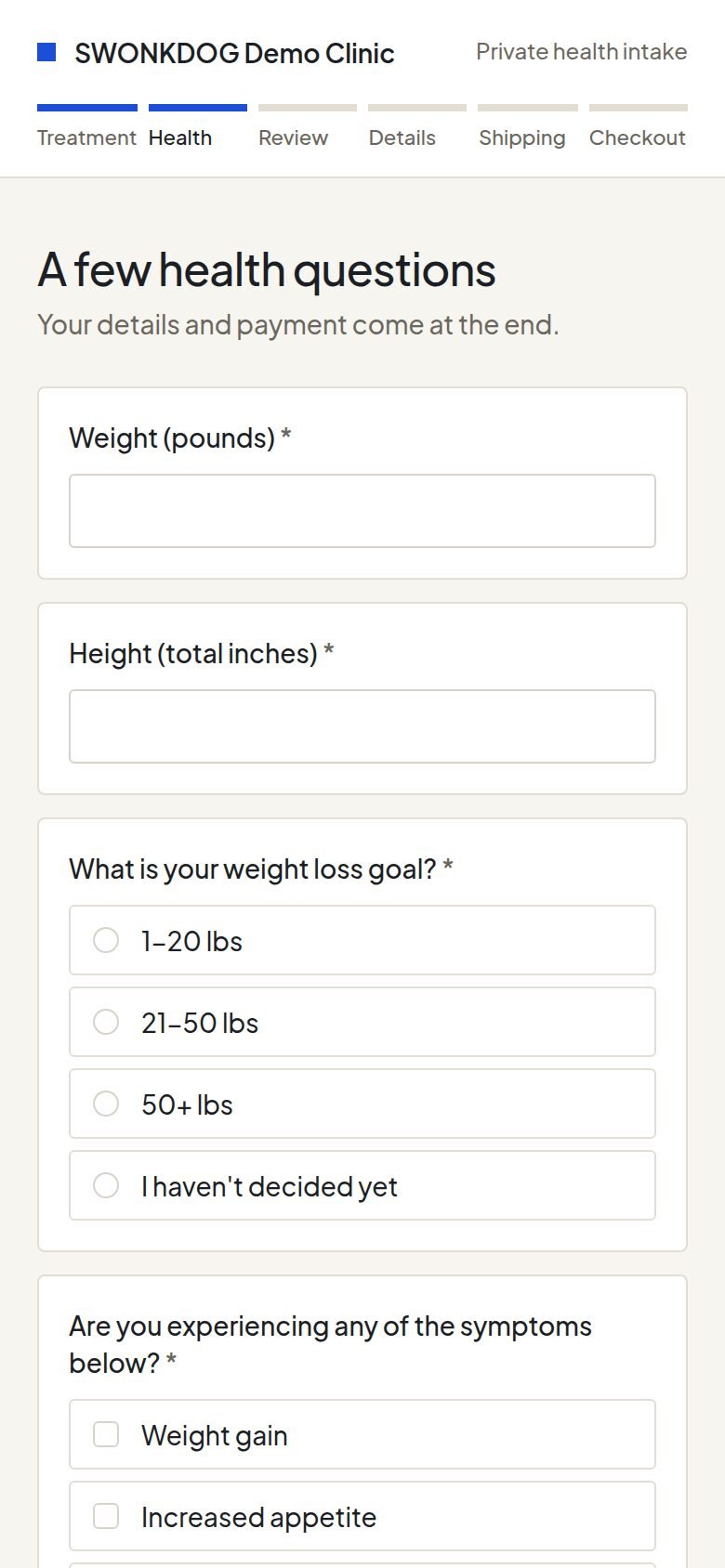
The health questions
What a clinician needs to decide on that treatment: history, medications, allergies, goals, and whatever the state requires. An answer that rules the treatment out stops the intake there, before any payment.
-
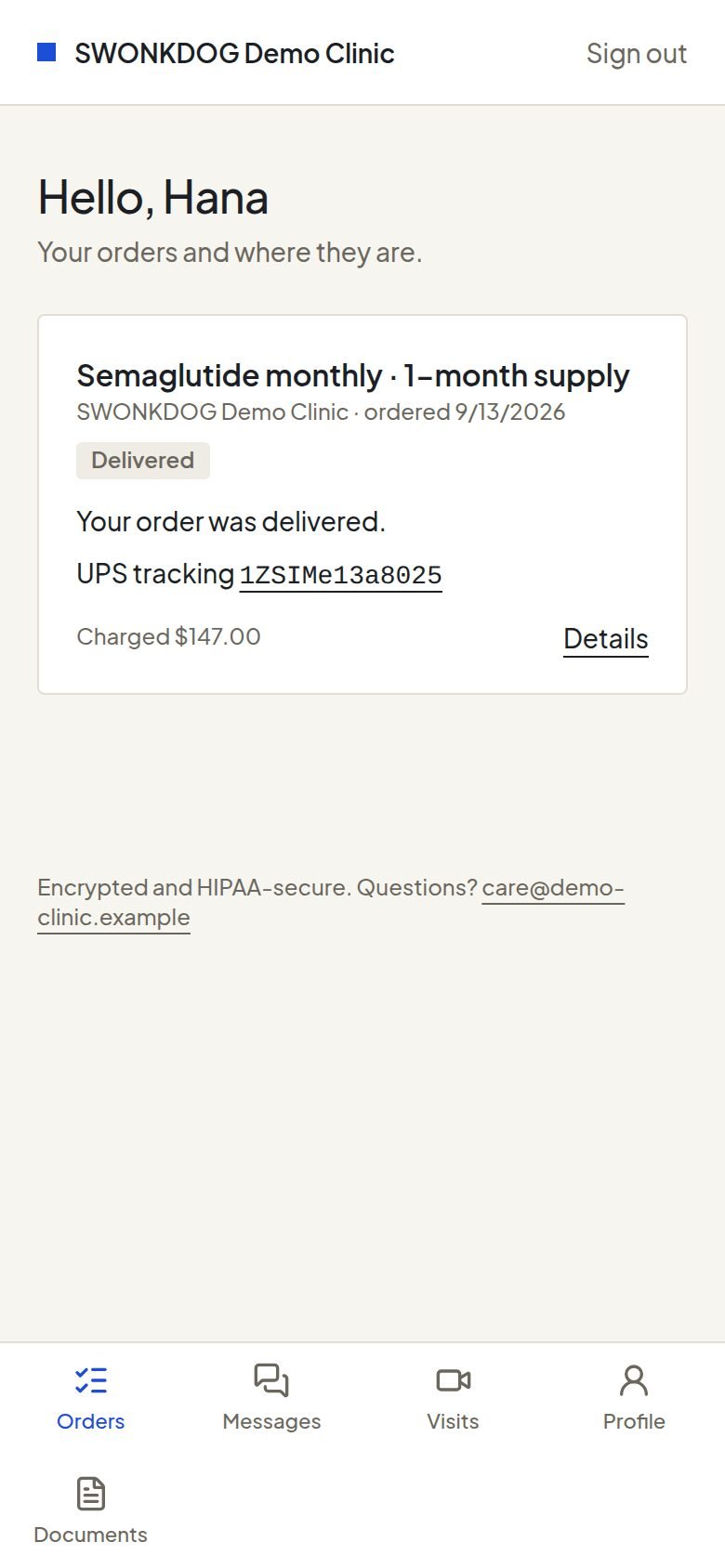
Their home
Their orders and where each one is, under your name and your colours. Messages with the clinician, video visits, their documents and their profile are a tap away.
-
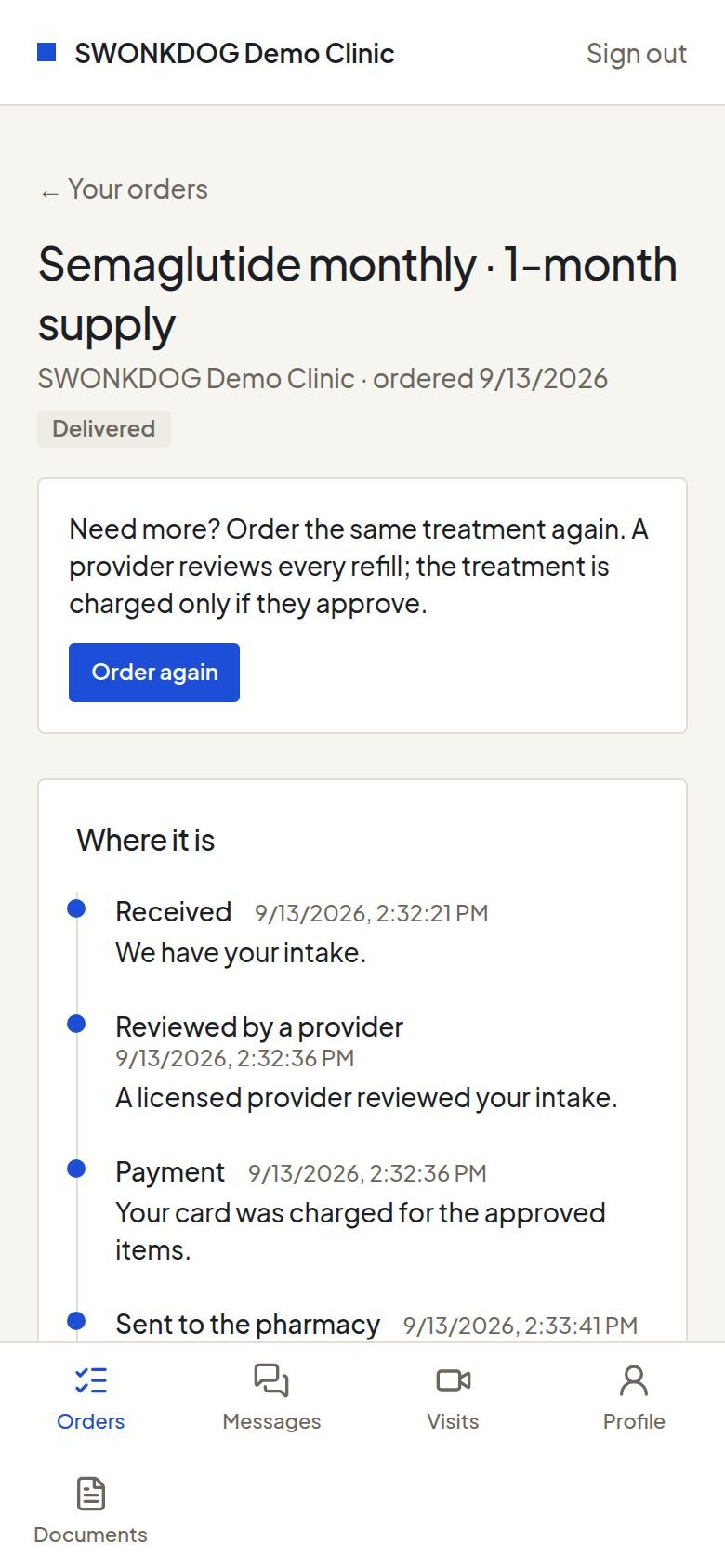
One order
Received, reviewed by a clinician, at the pharmacy, shipped with a tracking number, delivered. A refill is one tap on Order again, and a licensed clinician reviews every refill.
-
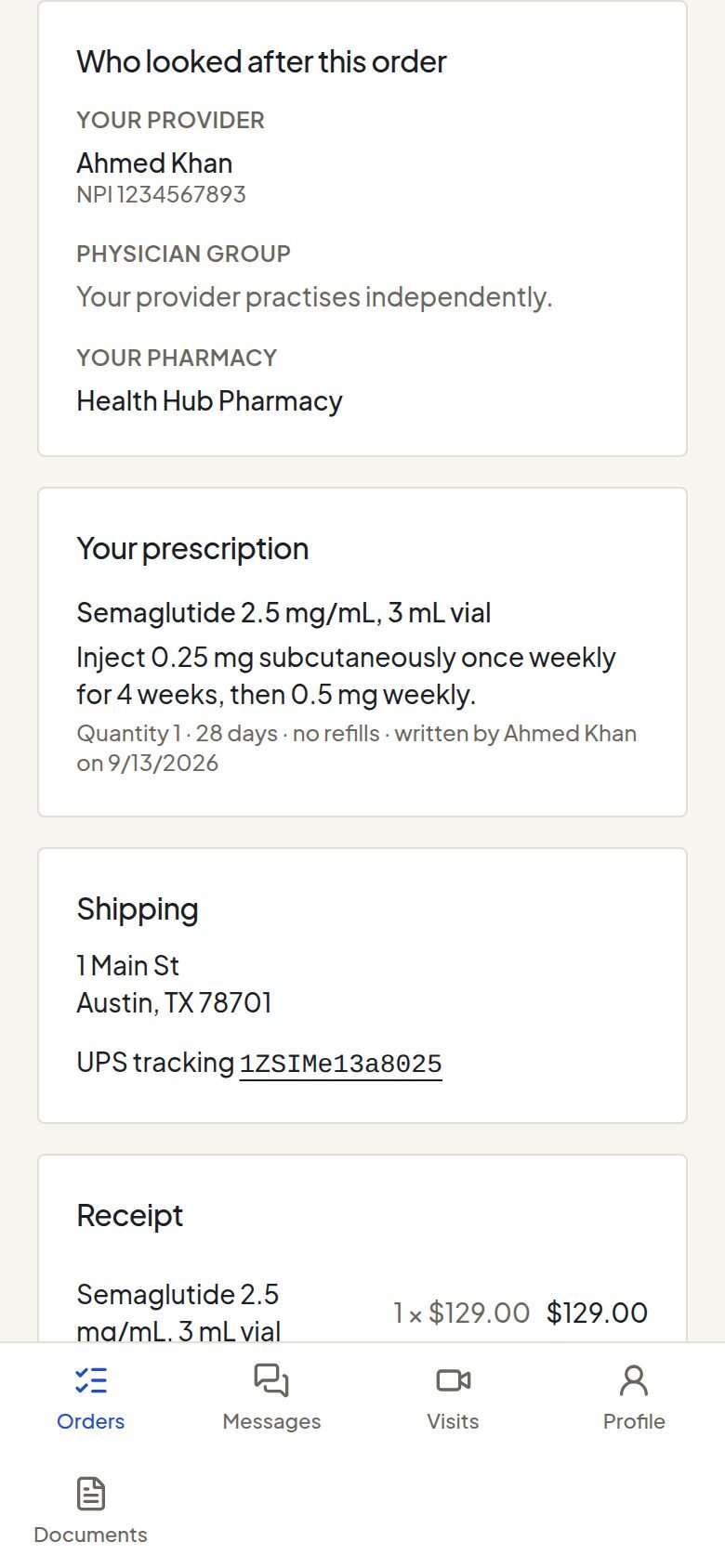
Who looked after it
The clinician who reviewed the visit, the physician group they practise with, and the pharmacy that filled the order, beside the prescription as written. Nothing hides behind a brand.
-
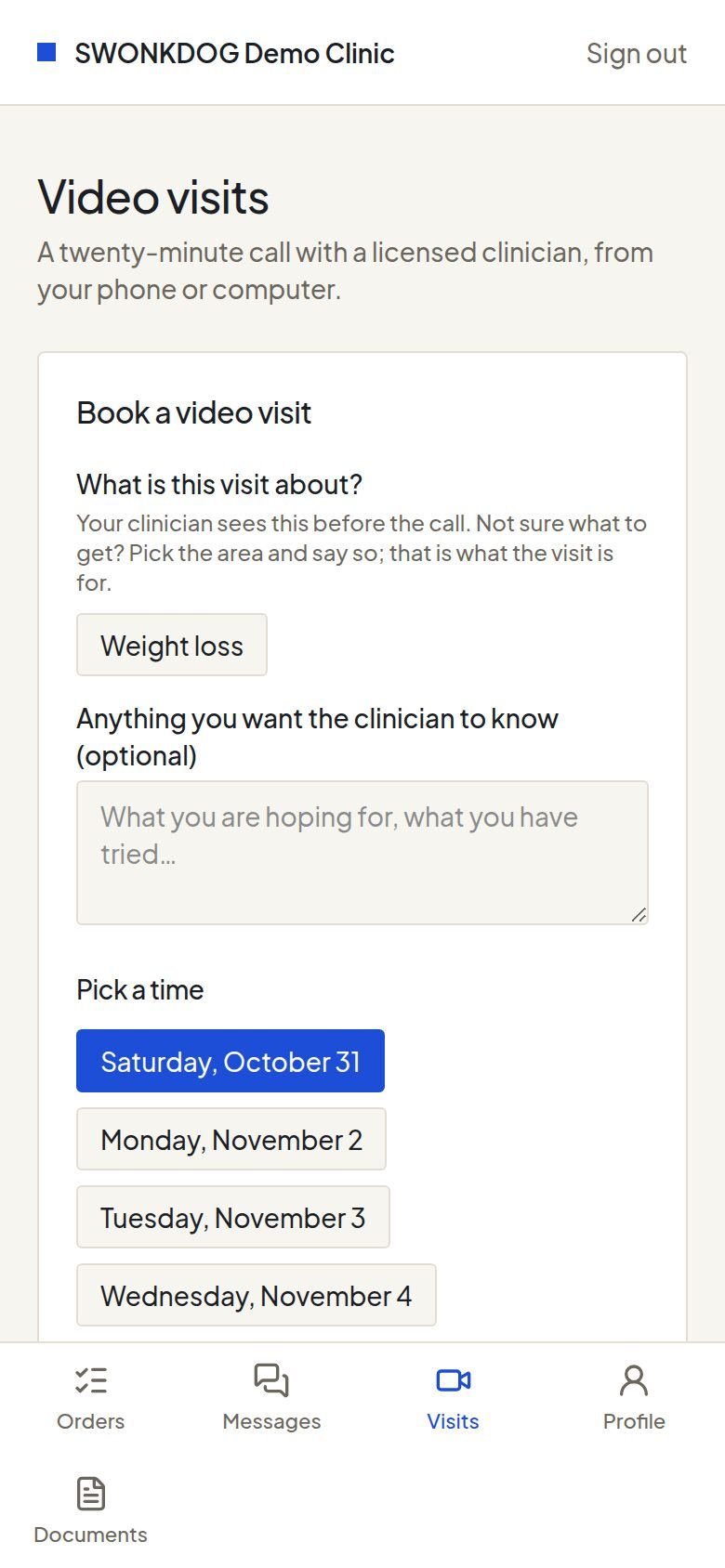
Video visits
Where a state requires a live visit, or when the patient wants one, they book a twenty-minute video visit with a licensed clinician and join it from the portal.
-
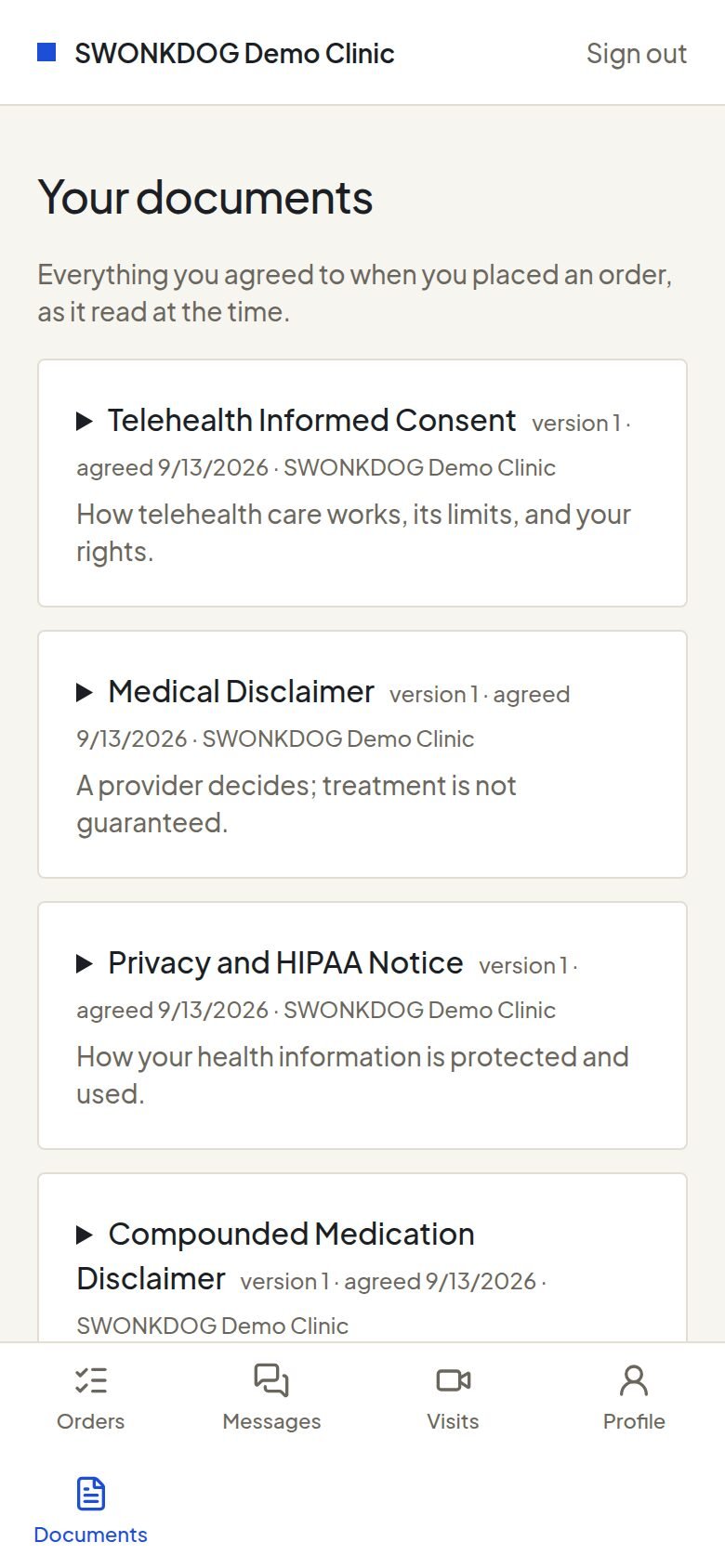
Their documents
Every consent they signed and every document of their care, kept for them.
-
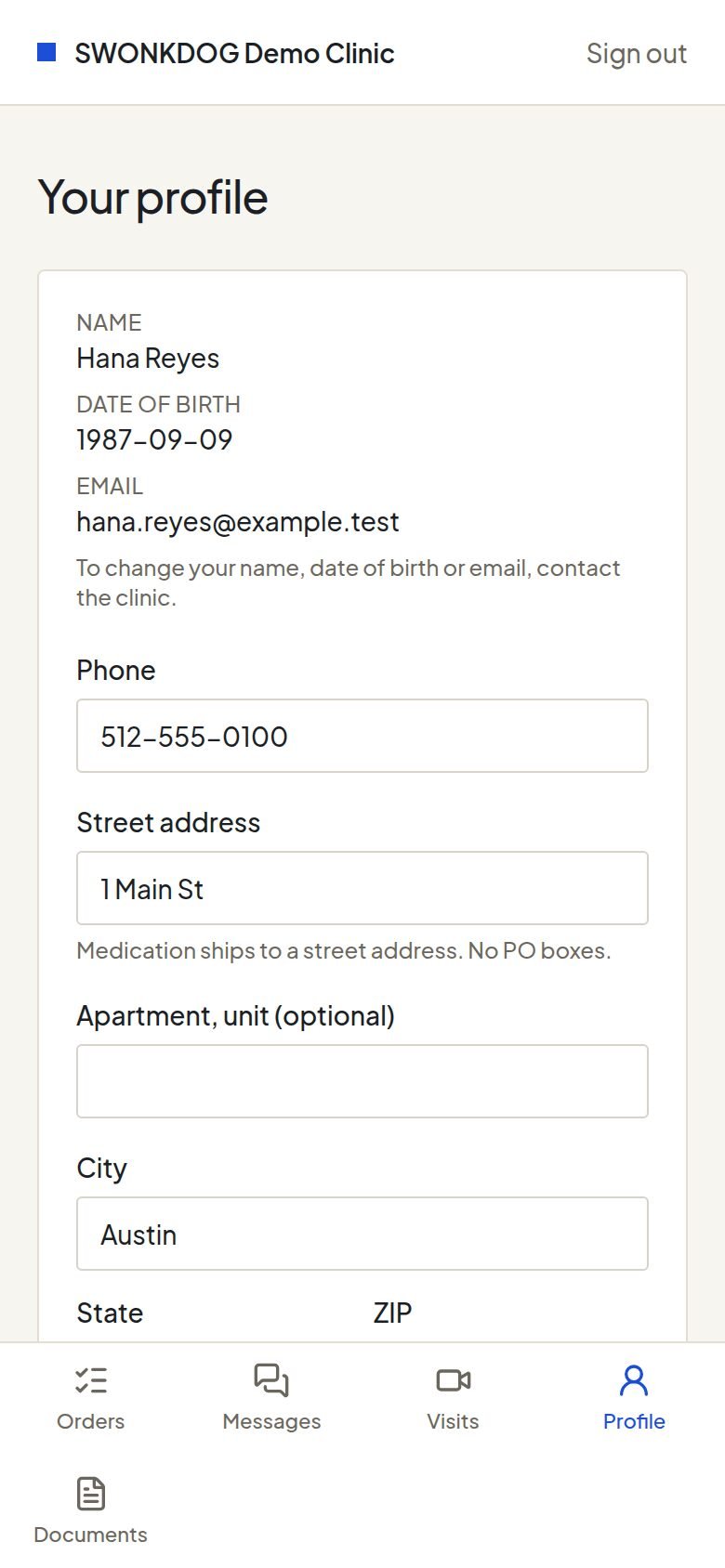
Their profile
Their contact and shipping details, kept current by them. A change reaches the next order.


Next
See it with your name on it.
Tell us about your practice or brand and the programs you want to offer. We set up your organisation, your sign-in and your intake link, and walk you through both portals on a call.